


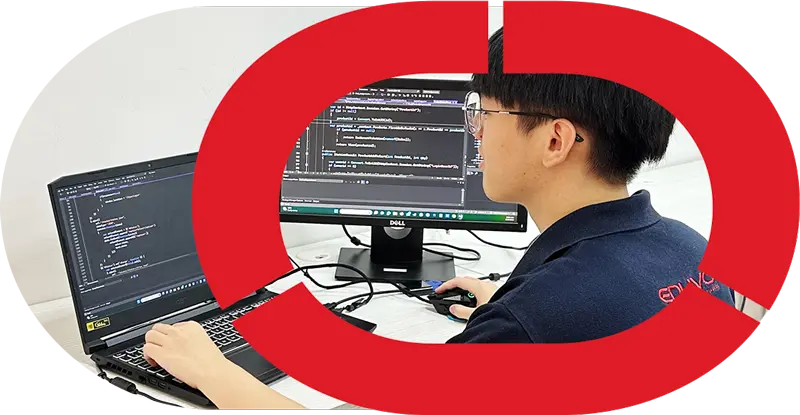


What Is the Difference Between IT Support and Networking?
IT Support vs Networking is the difference between helping people and systems run smoothly on a day-to-day basis and building or maintaining the network infrastructure that connects devices, users, an
Quick answer
IT Support vs Networking is the difference between helping people and systems run smoothly on a day-to-day basis and building or maintaining the network infrastructure that connects devices, users, and services. IT Support focuses on troubleshooting, helpdesk support, hardware, and operating systems, while Networking focuses on routers, switches, connectivity, and network performance.
Key Takeaways
- IT Support is more user-facing and practical for solving everyday tech problems.
- Networking is more infrastructure-focused and handles how devices connect and communicate.
- Both fields can overlap, especially in troubleshooting and basic network setup.
- A beginner-friendly IT support Malaysia pathway can help students start without SPM, from age 16 and above.

What Is the Difference Between IT Support and Networking?
IT Support is broader, while networking is more specialised. In simple terms, IT support helps people and devices work properly day to day, while networking focuses on how computers, printers, routers, and systems connect and communicate.
IT Support vs Networking: What Each Role Does
IT support is broader user-and-system support, while networking focuses more on how devices connect, communicate, and stay online. In simple terms, support staff help people fix day-to-day tech issues; network staff help keep the connection layer stable and secure.IT Support responsibilities
IT support usually covers the problems users notice first: a laptop that will not boot, a printer that is offline, an email account that stops syncing, or software that needs setup. In , readers can see how this role sits at the front line of everyday technology help.For a beginner in IT support Malaysia, the job often includes helpdesk support, basic account management, installing or updating operating systems, checking hardware, and guiding users step by step. The work is practical, people-facing, and often involves explaining technical fixes in simple language.Networking responsibilities
A networking career Malaysia employers typically hire for is more focused on the infrastructure behind the scene. This can include setting up routers and switches, checking cabling, assigning IP addresses, testing connectivity, and monitoring network performance. Junior network staff may also help with Wi-Fi issues, device access, and small configuration tasks.Networking work is more system-focused than user-focused. A person in this path usually spends more time tracing where a connection fails, reading device settings, and making sure office or campus systems can communicate properly.Where the two roles overlap
| Feature | IT Support | Networking |
|---|---|---|
| Main focus | User problems, devices, and system access | Connectivity, network setup, and maintenance |
| Common tasks | Troubleshooting, helpdesk support, operating systems, hardware checks | Router and switch setup, cabling, network testing |
| Tools used | Tickets, diagnostic tools, laptops, peripherals | Network testers, command-line tools, switches, routers |
| Personality fit | Patient, clear communicator, service-minded | Detail-oriented, analytical, structured |
| Career direction | Helpdesk support, IT support technician | Junior network technician, network assistant |
FeatureMain focus
IT SupportUser problems, devices, and system access
NetworkingConnectivity, network setup, and maintenance
FeatureCommon tasks
IT SupportTroubleshooting, helpdesk support, operating systems, hardware checks
NetworkingRouter and switch setup, cabling, network testing
FeatureTools used
IT SupportTickets, diagnostic tools, laptops, peripherals
NetworkingNetwork testers, command-line tools, switches, routers
FeaturePersonality fit
IT SupportPatient, clear communicator, service-minded
NetworkingDetail-oriented, analytical, structured
FeatureCareer direction
IT SupportHelpdesk support, IT support technician
NetworkingJunior network technician, network assistant
Which Skills Do You Need for IT Support and Networking?
The most useful skills for both paths are a mix of technical knowledge and people skills. In simple terms, you need to understand how devices, systems, and networks work, and you also need to explain problems clearly to users.Core technical skills
For beginners, the foundation usually includes:- Hardware basics: identifying common issues with laptops, desktops, printers, cables, and peripherals
- Operating systems: setting up accounts, managing updates, and checking system settings
- Troubleshooting: isolating whether a problem is caused by software, hardware, or connectivity
- Networking basics: understanding IP addresses, Wi-Fi, routers, switches, and simple connection checks
- Helpdesk support: logging issues, following support steps, and escalating when needed
- Security awareness: using strong passwords, safe access practices, and basic device protection
Soft skills for both pathways
Technical skill matters, but so do the habits that help you work well with people and teams. These include:- Clear communication with users who may be stressed or non-technical
- Patience when repeating instructions or checking details
- Teamwork when escalating issues to another technician or department
- Time management when handling several support tickets or tasks
- Professional attitude in offices, labs, and internship settings
Beginner-friendly tools and lab practice
New learners should get comfortable with practical tools such as:- Command-line basics for checking connectivity
- Cable testers and basic network tools
- System settings for user accounts and device access
- Ticketing or helpdesk systems
- Simple lab setups for testing routers, switches, and endpoints
What Careers Can You Start With IT Support or Networking?
You can start with entry-level roles in either path, and both can grow into stronger technical careers over time. The main difference is that support roles are usually broader and user-facing, while networking roles are more focused on keeping connections, devices, and systems communicating properly.A good first step is to understand the wider support pathway through . From there, learners can progress into practical roles that match their strengths and interests.- Begin with foundation training. A Professional Diploma in IT Support from Eduvo Academy is designed as a one-year programme for learners aged 16 and above, with no SPM requirement. This gives beginners a clear route into the field without waiting years before starting practical learning.
- Move into entry-level support roles. Common first jobs include helpdesk support, IT support technician, and technical support assistant. In these roles, you may help users reset accounts, install software, check devices, or solve basic hardware and system issues.
- Progress into network-focused support. If you enjoy connectivity and infrastructure, you can aim for junior network support roles. These roles often involve checking cables, supporting routers or switches, confirming device access, and assisting with network setup under supervision.
Is IT Support a Good Starting Path for Beginners in Malaysia?
Yes — it is often one of the most practical entry points for beginners because it teaches real workplace skills first. For many learners in Malaysia, it offers a clearer start than jumping straight into a highly specialised route, especially if you want a job-ready foundation before narrowing your focus.Who it suits
This path suits school leavers, career changers, and parents looking for a structured option for a child who prefers practical learning. It is especially useful for learners who are comfortable solving everyday technology problems, want to understand how office systems work, or are considering a networking career later but do not want to specialise too early.It can also suit students who are looking for a pathway with no SPM requirement and an entry point for age 16 and above, making it more accessible for beginners who want to start building skills early.IT support is often a practical starting point for beginners because it builds confidence with real workplace tasks, and Eduvo Academy’s no-SPM, age-16+ route, one-year programme, real lab equipment, Action Learning, and internship pathway give learners a structured way to grow from beginner to workplace-ready.
Why practical training matters
Employers value learners who can handle common tasks such as helpdesk support, basic troubleshooting, device setup, and operating systems checks. In Malaysia, digital adoption continues to expand across businesses, and the Department of Statistics Malaysia reported 94.8% internet penetration among households in 2024 (DOSM, 2024), which means everyday support skills remain relevant in homes, offices, and service environments.That is why practical training matters. A beginner needs more than theory — they need repetition, guided practice, and exposure to real tools. The provider’s approach includes hardware training, networking basics, troubleshooting, and operating systems so learners understand both user support and the technical environment behind it. For those comparing training options, Professional Diploma in IT Support is designed to build that foundation step by step.
How Eduvo Academy structures the learning journey
Eduvo Academy organises this pathway through German Ausbildung-inspired training, Action Learning, and an internship pathway so learners can connect classroom knowledge with workplace expectations. The one-year programme is built to help beginners progress steadily, without rushing past the fundamentals.The training centre at Sunway Velocity Kuala Lumpur gives learners a practical setting to explore support tasks, observe how systems connect, and decide whether they want to stay in support or later move toward networking.What is the main difference between IT Support and networking work?
IT Support is broader user and system support, while networking focuses more specifically on network setup, connectivity, configuration, and maintenance. In simple terms, IT support staff help people keep devices and systems working, while networking staff help keep devices connected and communicating properly.Can one person do both jobs at the beginner level?
Yes, especially at entry level in Malaysia. A helpdesk support or IT support technician may need to understand basic IP settings, Wi-Fi issues, printers, or router checks, which is why the programme includes networking basics alongside hardware training, troubleshooting, and operating systems. That balance helps learners understand how everyday support tickets connect to the network behind them.Which role is more suitable for someone starting out after secondary school?
Both can be suitable, but IT support is often the easier starting point for beginners because it covers a wider range of tasks and customer-facing problem solving. For learners who want structure, Professional Diploma in IT Support offers a one-year programme with real lab equipment, an internship pathway, and Action Learning designed for age 16 and above, with no SPM requirement.What jobs can I aim for after training?
Common beginner roles include helpdesk support, IT support technician, and junior network support. These roles usually involve answering user issues, checking devices, helping with login or printer problems, and escalating more complex connectivity cases when needed.Is networking still important if I choose IT support?
Yes. IT support in Malaysia often includes networking basics because many workplace issues are linked to connection problems, shared devices, or access settings. The difference is that support staff usually handle the wider user experience first, while networking specialists go deeper into network design and maintenance.If you are looking for a practical start in IT support Malaysia, contact Eduvo Academy at Sunway Velocity Kuala Lumpur to learn more about the provider’s beginner-friendly pathway and join us now.References
- Microsoft Support — Microsoft Support
- Microsoft Learn — Microsoft Learn
- Cisco — Cisco
- Cisco — Cisco
- Microsoft Support — Microsoft Support


