


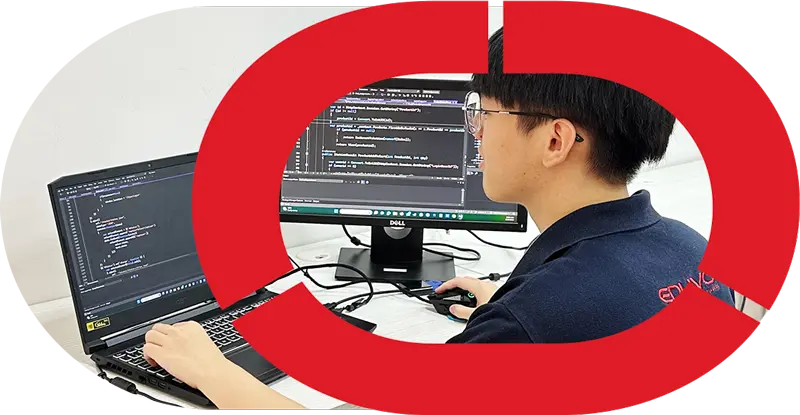


Do I Need Coding for IT Support?
Do I need coding for IT Support? Usually, no coding is required for entry-level IT Support work, because the role focuses more on hardware training, networking basics, troubleshooting, operating syste
Quick answer
Do I need coding for IT Support? Usually, no coding is required for entry-level IT Support work, because the role focuses more on hardware training, networking basics, troubleshooting, operating systems, and helpdesk support. That said, basic scripting or simple code awareness can be helpful later, especially if you want to grow into more technical roles.
Key Takeaways
- IT Support is mainly about solving user and system problems, not building software.
- Beginners can start with no SPM requirement in some vocational pathways, including options for age 16 and above.
- A Professional Diploma in IT Support can include real lab equipment, Action Learning, and an internship pathway.
- If you want a practical IT Support course Malaysia students can use to start early, Eduvo Academy offers a one-year programme designed for hands-on learning.

Do I need coding for IT Support?
Short answer
No, you usually do not need advanced coding to start in IT Support. For most entry-level roles, the priority is learning how to help users, fix common device issues, and keep systems running smoothly.
What beginners should know
If you are asking, Do I need coding for IT Support, the practical answer is that basic coding is helpful but not essential at the beginning. IT Support work is more about understanding hardware, networking basics, troubleshooting, operating systems, and helpdesk support than writing full software programs.For example, a support technician may need to:- set up a laptop or desktop
- install or update an operating system
- connect printers, Wi-Fi, or network drives
- troubleshoot login errors, slow devices, or software problems
- guide users through simple fixes in a clear, patient way
What does IT Support actually do?
IT support professionals help keep everyday technology running smoothly. In most entry-level roles, the work is less about programming and more about solving user problems, setting up devices, and keeping systems usable for staff or customers.Daily responsibilities
A typical support day can include answering calls or messages, checking why a laptop is slow, or helping someone log in again after a password issue. The work is practical and people-focused, especially in offices, schools, retail, and service environments.- Hardware setup for desktops, laptops, printers, and peripherals
- Operating systems installation, updates, and basic configuration
- Networking basics such as Wi-Fi checks, cable testing, and router setup
- Troubleshooting for slow devices, login problems, and error messages
- Helpdesk support through tickets, phone calls, email, or chat
- Device maintenance, including cleaning, patching, and replacement checks
- User assistance for software access, account setup, and simple training

Core technical skills
The strongest support staff are usually steady, organised, and able to explain technical steps in simple language. They also need to understand how computers, networks, and operating systems fit together.A Professional Diploma in IT Support can help build these foundations in a structured way, especially for beginners who want guided practice before entering the workplace.For readers who want a wider view of the pathway, see How to Become an IT Technician in Malaysia: 2026 Guide.Core skills usually include:- Basic hardware knowledge
- Windows or other operating system basics
- Networking fundamentals
- Troubleshooting logic
- Helpdesk communication
- Documentation and reporting
- Safe use of real lab equipment
When does coding become useful in IT Support?
Usually, you do not need advanced coding to begin in IT support. However, basic scripting and simple automation can make everyday tasks faster and more accurate, especially as your responsibilities grow.Here is a practical comparison of tasks that usually do not need coding versus tasks where a little scripting can help:| Support task area | Usually no coding needed | Basic coding or scripting can help |
|---|---|---|
| User support | Resetting passwords, guiding users, answering helpdesk tickets | Building simple scripts for repeated account tasks |
| Device setup | Installing software, joining devices to a network, checking drivers | Automating bulk setup steps for many computers |
| Troubleshooting | Reading error messages, checking cables, restarting systems | Pulling logs or running scripts to spot patterns faster |
| Network support | Verifying cables, Wi-Fi access, router basics | Using commands or scripts to test devices and connections |
| Documentation | Writing clear step-by-step notes | Generating reports or standardising records |
Support task areaUser support
Usually no coding neededResetting passwords, guiding users, answering helpdesk tickets
Basic coding or scripting can helpBuilding simple scripts for repeated account tasks
Support task areaDevice setup
Usually no coding neededInstalling software, joining devices to a network, checking drivers
Basic coding or scripting can helpAutomating bulk setup steps for many computers
Support task areaTroubleshooting
Usually no coding neededReading error messages, checking cables, restarting systems
Basic coding or scripting can helpPulling logs or running scripts to spot patterns faster
Support task areaNetwork support
Usually no coding neededVerifying cables, Wi-Fi access, router basics
Basic coding or scripting can helpUsing commands or scripts to test devices and connections
Support task areaDocumentation
Usually no coding neededWriting clear step-by-step notes
Basic coding or scripting can helpGenerating reports or standardising records
Simple scripts and automation
In day-to-day support work, coding is most useful when a task repeats often. For example, a technician may use a simple script to rename files, check system status, or collect device information. This does not mean becoming a software developer. It means using small technical tools to save time and reduce mistakes.Even reading basic code can help you understand what a tool is doing. That is useful when reviewing logs, following setup instructions, or using command-line utilities in Windows and other operating systems. In a Professional Diploma in IT Support, students can start building this kind of practical confidence through real lab practice and Action Learning.Coding also becomes helpful when support teams work with system tools, automated updates, or scripts that manage many devices at once. In these cases, basic logic matters more than advanced programming.Long-term career growth
As you gain experience, some employers may expect you to handle more technical tasks. That is where IT Support coding can become a useful advantage, especially if you want to move toward networking, systems, or infrastructure roles. If you are comparing pathways, this IT Support vs Networking Career Malaysia: 2026 Guide can help you see how the two areas connect.For learners in an IT Support course Malaysia parents can review with confidence, it helps to know that the training pathway can begin without coding pressure and still leave room for future growth. This is especially suitable for learners aged 16 and above, including those entering through a no SPM requirement route, because the focus starts with practical foundations first.At Eduvo Academy, the one-year programme is designed to build those foundations step by step, with hardware training, networking basics, troubleshooting, operating systems, helpdesk support, and real lab equipment. If you want to understand whether this pathway fits your goals, contact Eduvo today and JOIN US NOW.IT Support vs Software Engineering: which path fits you better?
If you prefer solving practical problems, assisting users, and keeping systems running, IT Support is usually the better fit. If you enjoy building digital products and writing code regularly, software engineering may suit you more.If you enjoy fixing systems and helping users
This path is usually more hands-on and service-oriented. In IT Support, your day may involve setting up laptops, checking network connections, updating operating systems, responding to helpdesk tickets, and troubleshooting when a device fails. The coding involved is typically light and task-based, such as reading simple scripts or understanding basic logic, rather than building full applications.For students who want a clear starting point, this route can be easier to enter through a Professional Diploma in IT Support because the focus is on practical readiness. At Eduvo Academy, the one-year programme is built around real lab equipment and Action Learning, so learners can practise in a setting that feels close to workplace situations. This is helpful for those who want to learn by doing, especially in a no SPM requirement pathway for age 16 and above.If you enjoy building applications
Software engineering is more code-heavy. Instead of primarily supporting devices and users, you spend more time creating websites, apps, and systems logic. You will need to learn programming languages, debugging, version control, and structured problem-solving at a deeper level.That does not mean one path is “harder” than the other; they simply prepare you for different work. If you like variety, user interaction, and troubleshooting, IT Support may feel more natural. If you enjoy long coding sessions and building from scratch, software engineering may be a better match. For a clearer comparison, see IT Support vs Software Engineering Malaysia Guide.| Comparison Area | IT Support Path | Software Engineering Path |
|---|---|---|
| Main focus | Supporting users, devices, and systems | Creating software and applications |
| Coding level | Basic scripting and logic can help | Coding is a core daily skill |
| Typical tasks | Helpdesk support, hardware checks, networking basics, troubleshooting | Writing code, testing features, fixing bugs |
| Learning style | Practical, lab-based, job-ready | Theory plus intensive programming practice |
| Best for learners who | Like fixing, explaining, and solving technical issues | Like building, designing, and coding solutions |
Comparison AreaMain focus
IT Support PathSupporting users, devices, and systems
Software Engineering PathCreating software and applications
Comparison AreaCoding level
IT Support PathBasic scripting and logic can help
Software Engineering PathCoding is a core daily skill
Comparison AreaTypical tasks
IT Support PathHelpdesk support, hardware checks, networking basics, troubleshooting
Software Engineering PathWriting code, testing features, fixing bugs
Comparison AreaLearning style
IT Support PathPractical, lab-based, job-ready
Software Engineering PathTheory plus intensive programming practice
Comparison AreaBest for learners who
IT Support PathLike fixing, explaining, and solving technical issues
Software Engineering PathLike building, designing, and coding solutions
How can I start an IT Support course in Malaysia?
You can start by checking whether the programme fits your age, education background, and learning goals. For most beginners, the route is straightforward: choose a practical course, understand the modules, then begin skills training that prepares you for support roles.Entry route for beginners
- Check eligibility first. Many vocational providers accept learners aged 16 and above, and some pathways offer a no SPM requirement entry route, which can be helpful for school leavers who want to begin early.
- Learn how the programme is structured. A good option should explain whether it includes a Professional Diploma in IT Support, how long it takes, and what outcomes the learner can expect from the one-year programme.
- Start with practical training. Look for a course that includes real lab equipment, so you can practise device setup, basic repairs, and system checks in a controlled environment instead of only reading theory.
- Progress toward internship readiness. Before moving into workplace exposure, students should be comfortable with helpdesk support, basic troubleshooting, and speaking to users clearly and professionally.
What the programme includes
A strong IT Support pathway usually covers hardware training, networking basics, operating systems, and troubleshooting. These are the everyday building blocks of support work, and they help learners understand how laptops, desktops, printers, routers, and office systems connect and function together.Frequently Asked Questions
Do I need coding for IT Support if I’m just starting out?
Usually, no advanced coding is needed to start in IT Support. Most beginner roles focus on troubleshooting, device setup, operating systems, networking basics, and helping users solve everyday technical issues.
What skills matter most in IT Support besides coding?
The most important skills are problem-solving, communication, hardware knowledge, networking basics, and the ability to follow technical instructions. You should also be comfortable with helpdesk tools, system setup, and explaining solutions clearly to users.
When does coding become useful in IT Support?
Coding or scripting becomes useful when you want to automate repetitive tasks, work with system tools, or manage more technical support environments. Even basic scripting knowledge can help you save time and grow into higher-level IT roles.
Should I choose IT Support or Software Engineering if I’m not sure I like coding?
If you enjoy solving technical problems but do not want to focus on programming, IT Support may be the better starting point. Software Engineering is a stronger fit if you want to build applications and spend most of your time writing code.
Can a beginner learn IT Support through Eduvo Academy?
Yes, Eduvo Academy offers a practical IT Support course Malaysia students can consider if they want hands-on learning. The programme is designed to help beginners build job-ready skills through real equipment, action learning, and an internship pathway.
References
- Microsoft Learn — PowerShell Documentation — Microsoft Learn — PowerShell Documentation
- Microsoft Learn — What is PowerShell? — Microsoft Learn — What is PowerShell?
- Microsoft Learn — Introduction to scripting in PowerShell — Microsoft Learn — Introduction to scripting in PowerShell
- Microsoft Learn — Sample scripts for system administration — Microsoft Learn — Sample scripts for system administration
- Cisco — How automation is driving network engineer skills transformation — Cisco — How automation is driving network engineer skills transformation


