



Professional Diploma in IT Support
Final Project (DFP108)
Final Project (DFP108) Home / Professional Diploma in IT Support / Final Project...
Read More

Computer Hardware Fundamentals (DHS102) is the gateway to building real technical confidence in IT. Whether you're an aspiring technician, IT support specialist, or just want to understand what makes computers work, this course provides full exposure to desktop hardware, disassembly, diagnostics, and preventive maintenance.
You’ll go beyond theory — with real-world tools, live PC builds, troubleshooting labs, and client-facing exercises — setting the foundation for a hands-on IT career.
Learn internal components, computing basics, and I/O devices through interactive tasks and your first assignment.
Learn internal components, computing basics, and I/O devices through interactive tasks and your first assignment.
Understand tool usage, screw types, and lab safety while dismantling a branded PC.
Understand tool usage, screw types, and lab safety while dismantling a branded PC.
Identify front and back panel ports, data cables, and PSU connectors with hands-on practice.
Identify front and back panel ports, data cables, and PSU connectors with hands-on practice.
Explore motherboard types, BIOS, CMOS, and perform real firmware tasks in lab.
Explore motherboard types, BIOS, CMOS, and perform real firmware tasks in lab.
Recognize CPU sockets and RAM types while understanding system memory basics.
Recognize CPU sockets and RAM types while understanding system memory basics.
Apply skills in guided lab sessions involving disassembly and overclocking.
Apply skills in guided lab sessions involving disassembly and overclocking.
Learn HDD, SSD, and optical drive differences using tools like CrystalDiskInfo.
Learn HDD, SSD, and optical drive differences using tools like CrystalDiskInfo.
Understand casing and cooling types, including AIO setups and thermal paste application.
Understand casing and cooling types, including AIO setups and thermal paste application.
Hands-on review of key hardware topics and PC assembly before the quiz.
Hands-on review of key hardware topics and PC assembly before the quiz.
Present your work and begin the second assignment with clear guidelines.
Present your work and begin the second assignment with clear guidelines.
Learn about GPU tiers, PCIe slots, and plan PC builds based on user needs.
Learn about GPU tiers, PCIe slots, and plan PC builds based on user needs.
Understand PSU features and perform voltage testing using a multimeter.
Understand PSU features and perform voltage testing using a multimeter.
Practice PC profiling and cleaning to maintain long-term system health.
Practice PC profiling and cleaning to maintain long-term system health.
Build soft skills while troubleshooting faults and writing service reports.
Build soft skills while troubleshooting faults and writing service reports.
Reinforce learning with focused labs and quiz preparation.
Reinforce learning with focused labs and quiz preparation.
Strengthen practical and troubleshooting skills through independent work.
Strengthen practical and troubleshooting skills through independent work.
Catch up on assignments or improve submissions with instructor support.
Catch up on assignments or improve submissions with instructor support.
Experience simulated exams and get familiar with the Moodle platform.
Experience simulated exams and get familiar with the Moodle platform.
Showcase your hands-on skills in the final hardware exam.
Showcase your hands-on skills in the final hardware exam.
Complete your final presentation and Moodle assessment to conclude the course.
Complete your final presentation and Moodle assessment to conclude the course.
Develop the communication, professionalism, and troubleshooting mindset of a skilled technician. Practice writing service reports and conducting hands-on diagnostic tasks that simulate real-world support scenarios.
Develop the communication, professionalism, and troubleshooting mindset of a skilled technician.
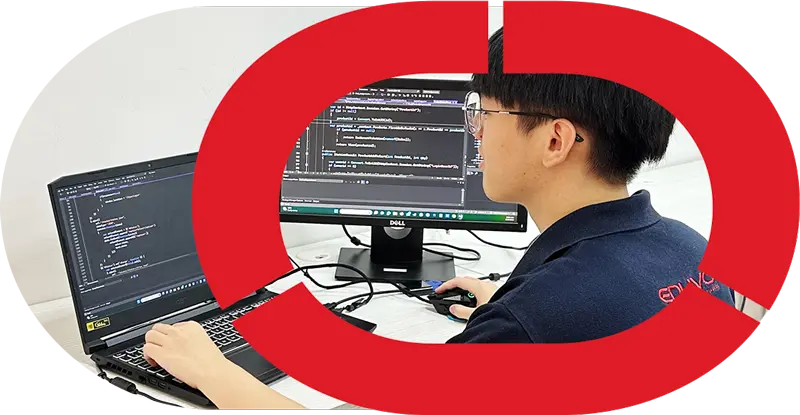
Students actively engage in dismantling and assembling PCs, applying thermal paste, testing components, and configuring systems in real lab environments. These moments capture the excitement and focus of working with real hardware, turning technical theory into practical experience through guided, skill-based activities.


Final Project (DFP108)
Final Project (DFP108) Home / Professional Diploma in IT Support / Final Project...
Read MoreServer and System Administration (DSA106)
Server and System Administration (DSA106) Home / Professional Diploma in IT Support /...
Read MoreData Communication and Networking (DDC105)
Data Communication and Networking (DDC105) Home / Professional Diploma in IT Support /Data...
Read MoreMobile and Print Technology (DMP104)
Mobile and Print Technology (DMP104) Home / Professional Diploma in IT Support /...
Read MoreIT Support Etiquette and Communication (DEC107)
IT Support Etiquette and Communication (DEC107) Home / Professional Diploma in IT Support...
Read MoreOS Troubleshooting and Configuration (DOT103)
OS Troubleshooting and Configuration (DOT103) Home / Professional Diploma in IT Support /OS...
Read More
© - EDUVO SDN BHD | All Rights Reserved


